Run automations only for sessions with a chosen highlight
· Artur Jürgenson
Automations can now run only for sessions that have a highlight in a chosen category. For example, post to Slack whenever a session has an Agent error, or create a ticket for every session with a Knowledge gap.
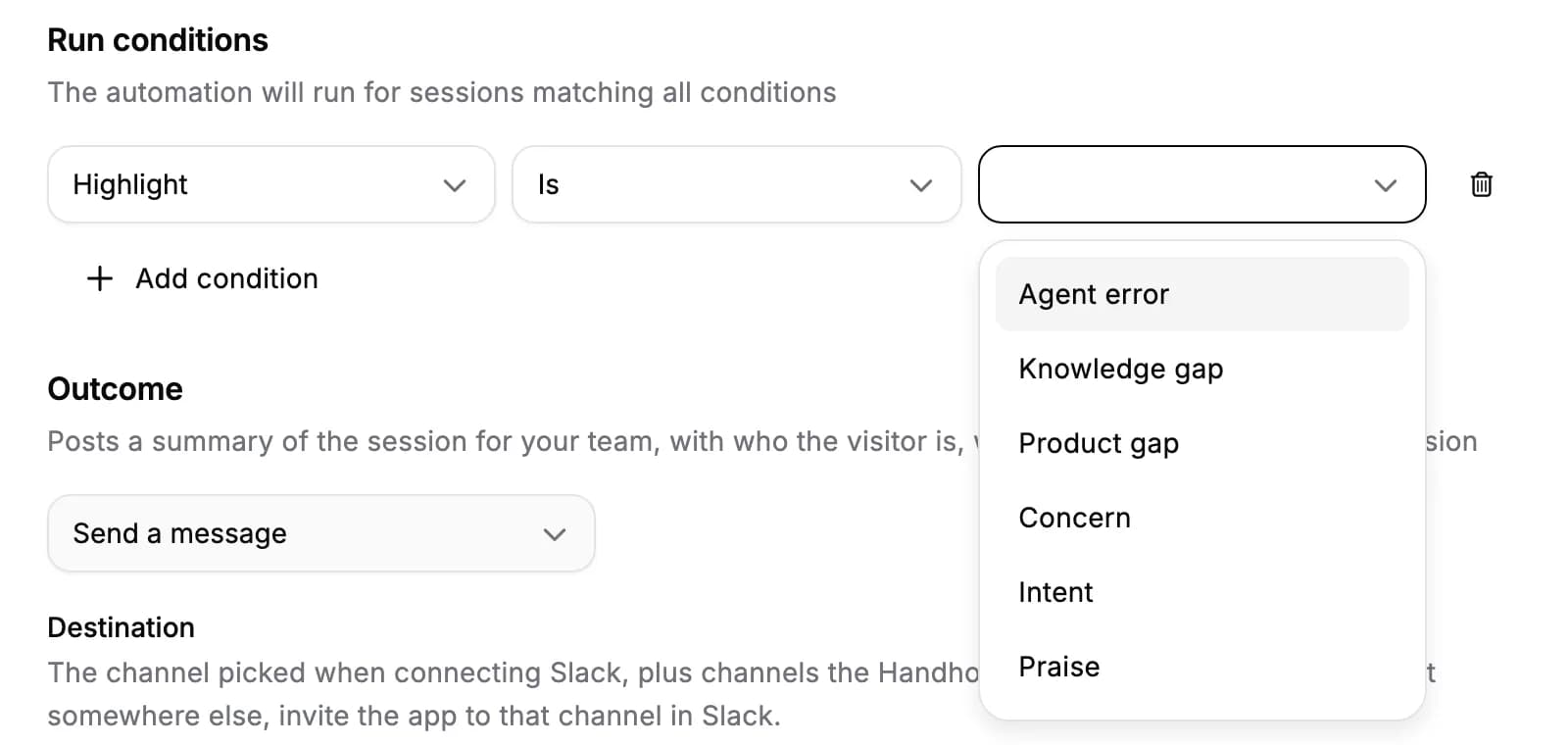
- Add a Highlight condition. Open an automation, add the Highlight run condition and choose a category: Agent error, Knowledge gap, Product gap, Concern, Intent or Praise.
- Onboarding agents. Onboarding agent sessions never get Concern or Intent highlights, so an automation limited to either doesn't run for them.
- When highlights are missing. A session gets no highlights when the visitor didn't interact with the agent, or when they couldn't be written. An automation limited to a highlight doesn't run for those sessions.
For AI agents: a clean Markdown version is available at /changelog/2026-11-12-run-automations-on-session-highlights.md.