Book meetings from your agent's buttons
· Artur Jürgenson
Your agent's persistent CTAs can now book meetings. Choose a calendar you've connected, from Cal.com, Calendly or HubSpot, as a CTA's type. A visitor who clicks it picks a time and books without leaving the session, and the meeting counts as an outcome, like one your agent books in the conversation.
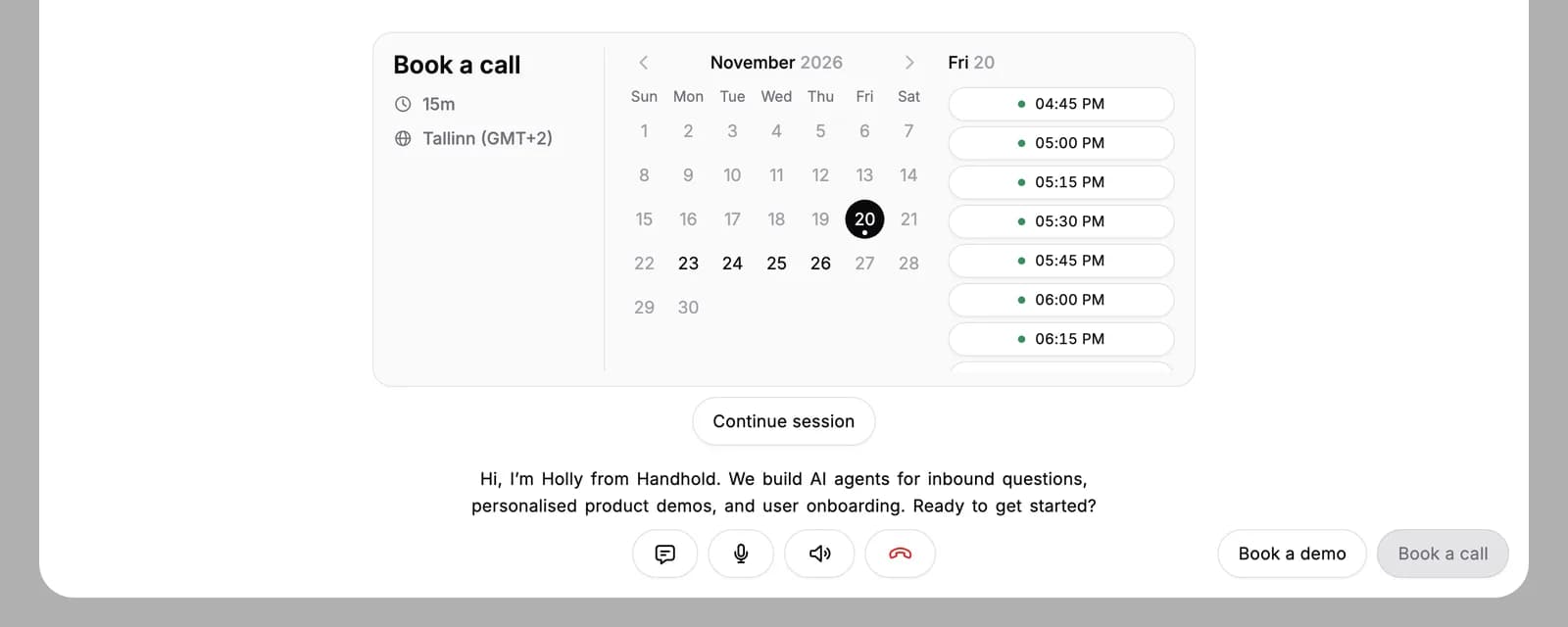
- The primary or secondary CTA. A Demo agent can book from either CTA, and an Inbound Q&A agent from its primary CTA. While the session is live, the dialog a visitor sees when leaving it offers the booking too.
- The CTA shows the booking. Once the visitor has booked, the CTA shows a check with the meeting's date and time.
- When there are no times. If the calendar can't be reached or has no free times, the visitor gets a button to your scheduler's own booking page instead, or is told booking isn't available right now when there's no booking page.
- New CTA settings. The Outcomes tab lists the primary and secondary CTAs as persistent CTAs, and the agent's other actions as surfaced CTAs. A persistent CTA's dialog starts with its type, and changing the type keeps the CTA's label, unless it becomes Start a demo, which takes the demo's name. Removing the primary CTA moves the secondary one up instead of removing both.
For AI agents: a clean Markdown version is available at /changelog/2026-11-23-book-meetings-from-your-agents-buttons.md.