Your onboarding agent can open in the middle of the page
· Marius Virbičianskas
When a trigger opens your onboarding agent, it can now open as a modal in the middle of the page instead of the chat panel. The page dims, and the agent's opening message sits in a card with two buttons: Get started and Dismiss.
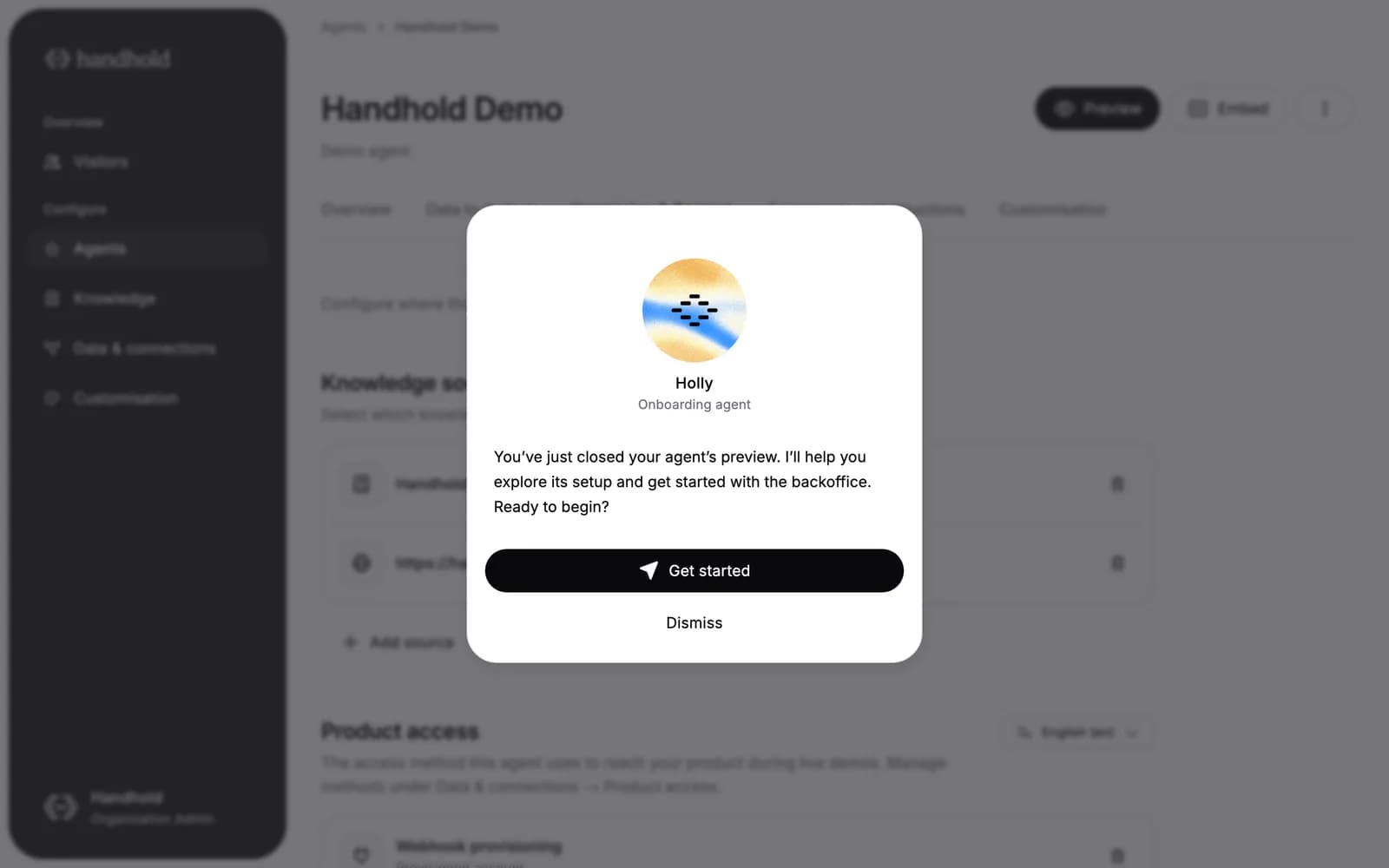
- You choose per trigger. Each trigger has an Open as a modal option in the agent's Triggers tab. Turn it on for moments that deserve attention, such as a first login or a nudge, and leave it off for a trigger the user fires themselves, such as a help button.
- About the situation. The agent's opening follows the trigger: a welcome on a first login, and otherwise what the user is in the middle of and how the agent can help with it.
- One click to start. Get started takes the user straight in. After any discovery question you've set up, the agent begins with what you told the trigger to get them to do, or with the workflow that fits the situation, without asking whether they're ready.
- A deliberate choice. The modal stays until the user picks Get started or Dismiss, so a stray click on the page doesn't close it. It's still there after a reload.
New triggers start with the option on, and we've turned it on for existing first-login triggers. Your inactivity triggers and the triggers you fire from your code keep opening the chat panel until you turn it on. A trigger with the option on opens as a modal every time it fires, so set Fire only once per visitor where once is enough.
See launch() for triggers from your code. Your AI app can set the option too, through the trigger tools' screen setting.
For AI agents: a clean Markdown version is available at /changelog/2026-11-19-open-as-a-modal.md.