Let Holly sign up to your product
· Sander Rõuk
You no longer need a demo account ready before generating a demo agent. When you connect your product, choose Let Holly sign up and paste the page where new users create an account. Holly fills in the sign-up form, confirms the email address and sets up the login, while the step shows each stage as it happens. You can cancel at any time, for example to correct the URL.
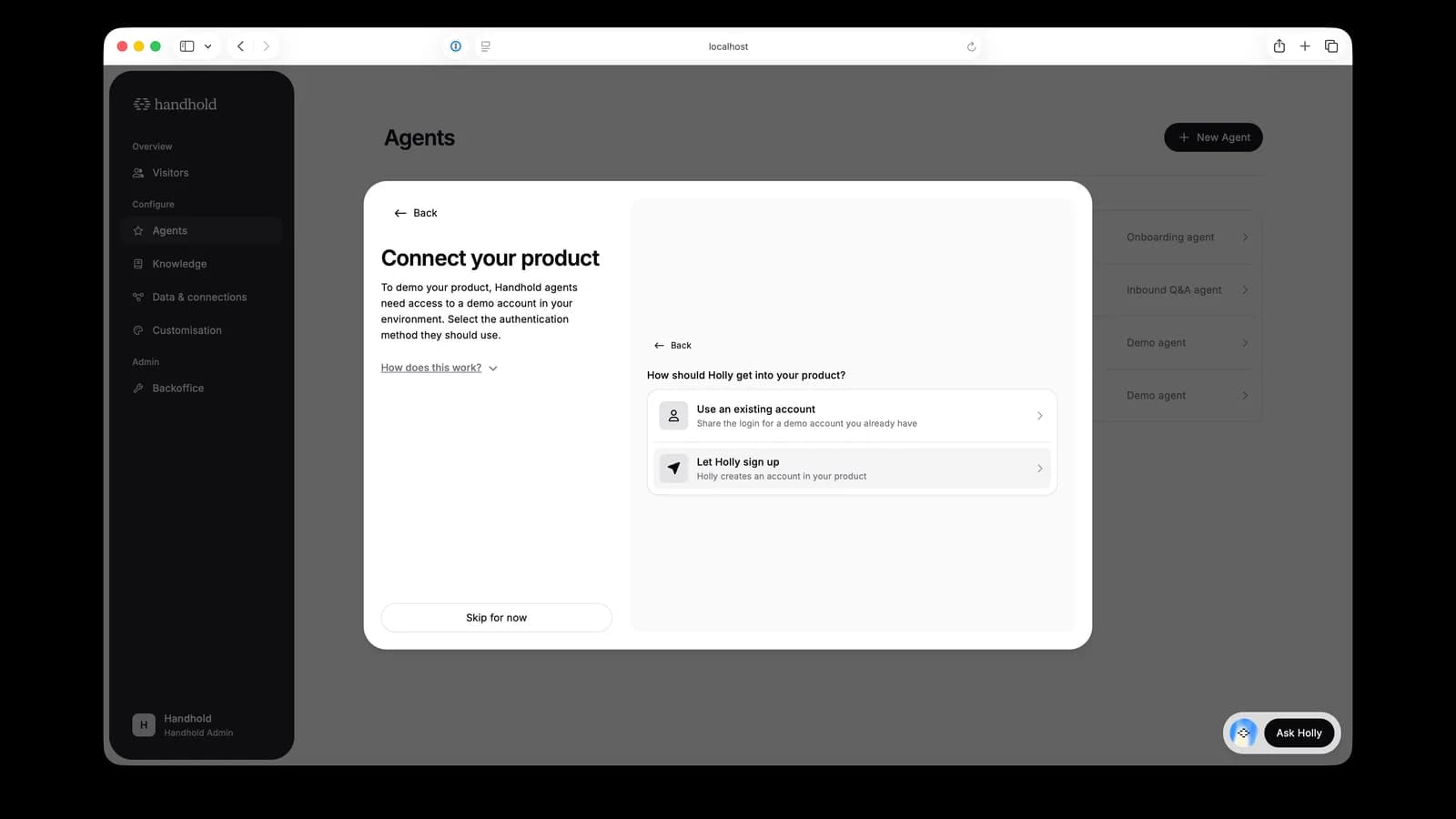
When the sign-up finishes, the new account is added as an access method, its login is tested, and agent generation continues with it. To log in to the account yourself, open the access method and choose Reveal next to the password; this works for every email and password access method. If the sign-up is blocked, for example by a CAPTCHA, a phone check or a payment step, the step tells you why and you can share the login of an existing account instead.
For AI agents: a clean Markdown version is available at /changelog/2026-09-29-let-holly-sign-up-to-your-product.md.