Agent Overview page redesigned
· Artur Jürgenson
Every agent's Overview page now counts what its sessions achieved, using the same numbers and the same words as the Visitors page.
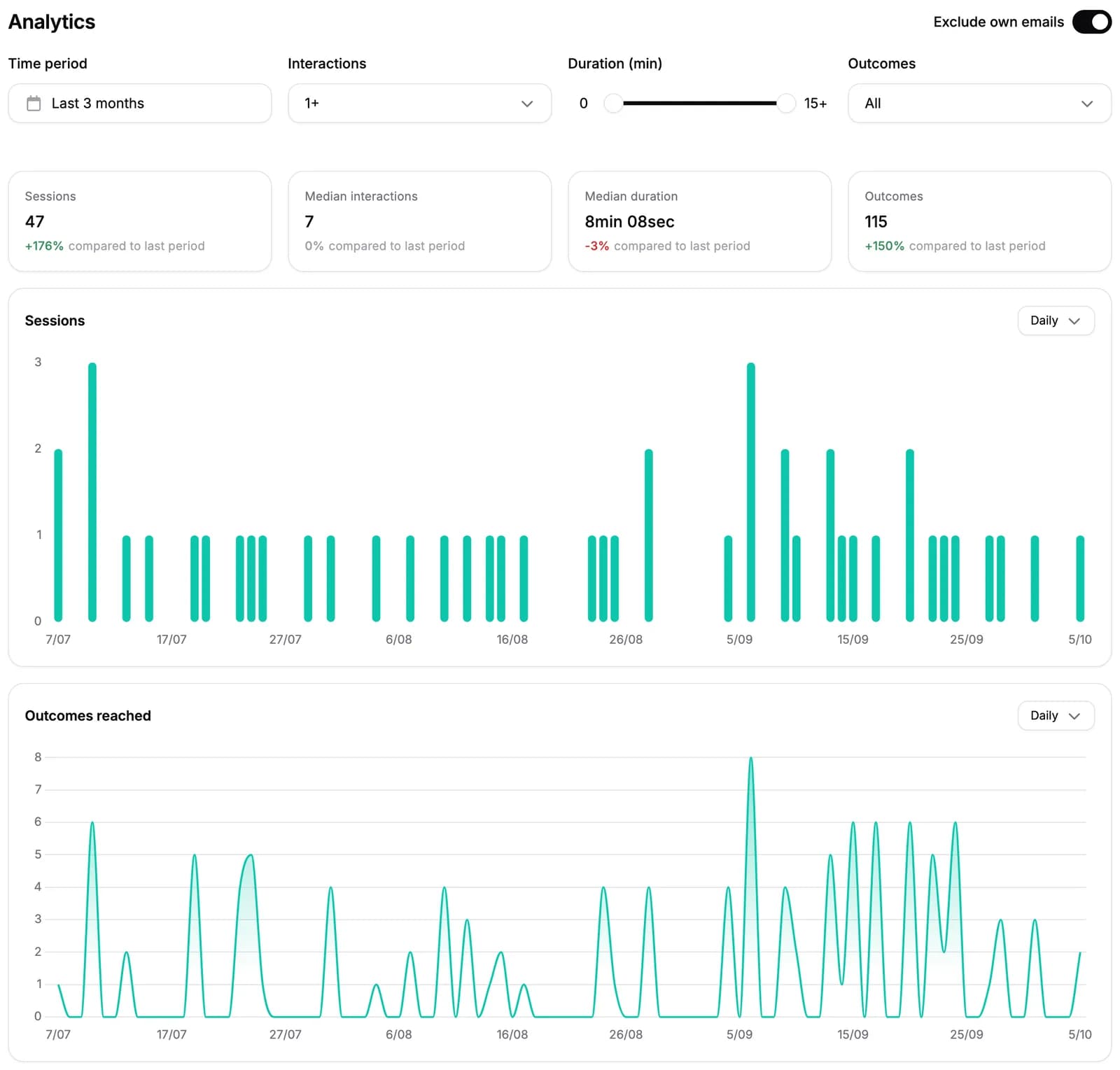
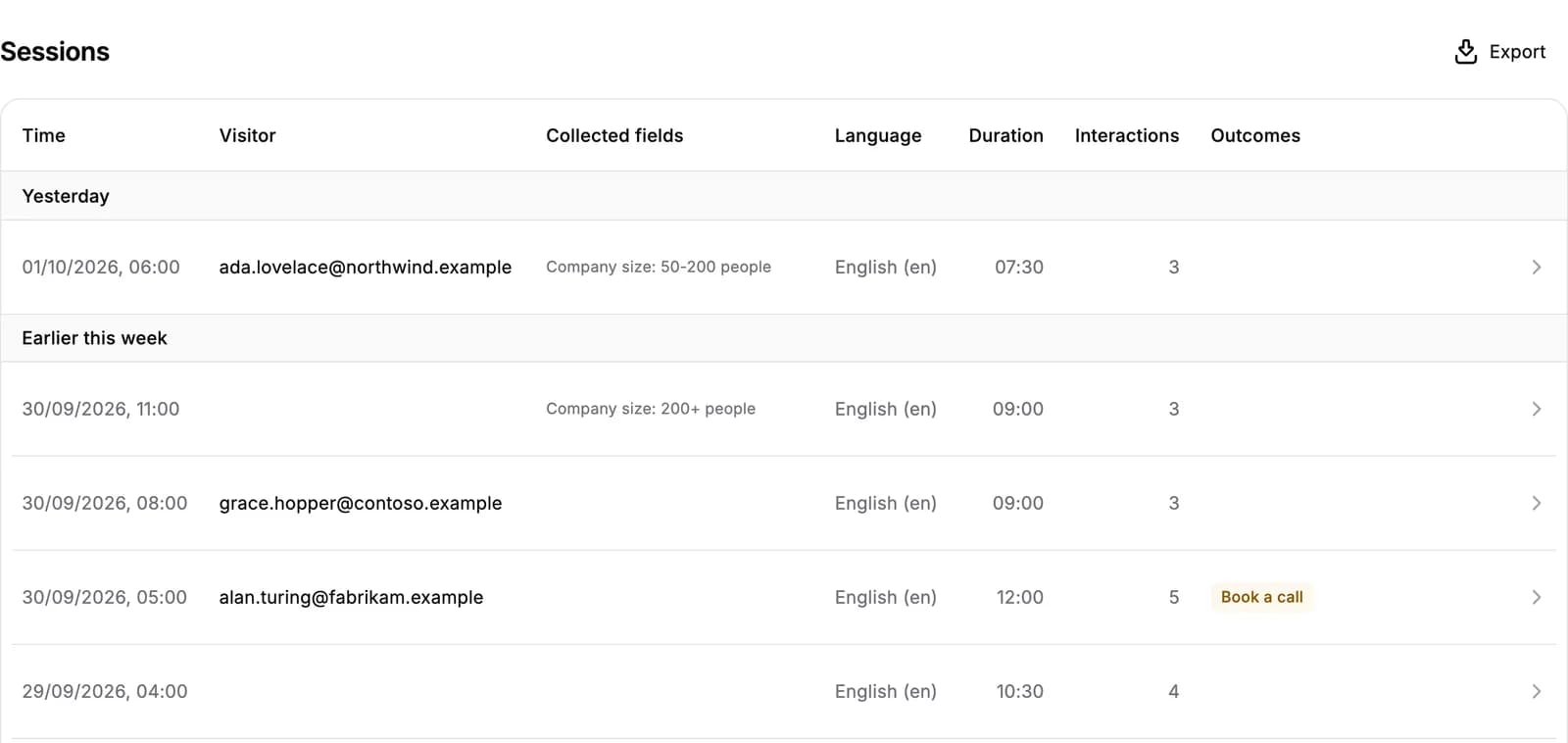
Outcomes replace engagement. An outcome is something the visitor completed: a link clicked, a meeting booked, or a demo started from the session. A click on a booking button is not one on its own — only the booking is. The engagement filter and the "CTA clicked" and "Answered" badges are gone, and every session row now shows the outcomes it reached. On the Visitors page, the "CTA clicks" card is now "Outcomes" and counts the same way.
Four numbers with their trend. Sessions, median interactions, median duration and outcomes, each compared with the preceding period of the same length. The Visitors page's cards now compare the same way, instead of with the week before. All time has nothing before it, so it shows no trend.
Opens on the last 90 days. The Overview and Visitors pages now open on the last 90 days instead of all time, and the time period says which preset is in use.
Filter by outcome. Pick the outcomes you care about and the numbers, the charts and the list all narrow to the sessions that reached them.
Filter by duration. The Visitors page's duration slider is on the Overview too, reading how long the visitor was actually present rather than the time from start to end.
Sessions and outcomes over time. Each chart has its own daily, weekly or monthly setting.
The session list says who it was. Each row leads with the visitor's email, and the session ID column and its toggle are gone — you can still see a session's ID on its own page.
For AI agents: a clean Markdown version is available at /changelog/2026-10-07-the-agent-overview-page-redesigned.md.