See which visitors fit your ideal customer profile
· Artur Jürgenson
You can now describe your ideal customer under Knowledge & assets, and we check each visitor's company against it.
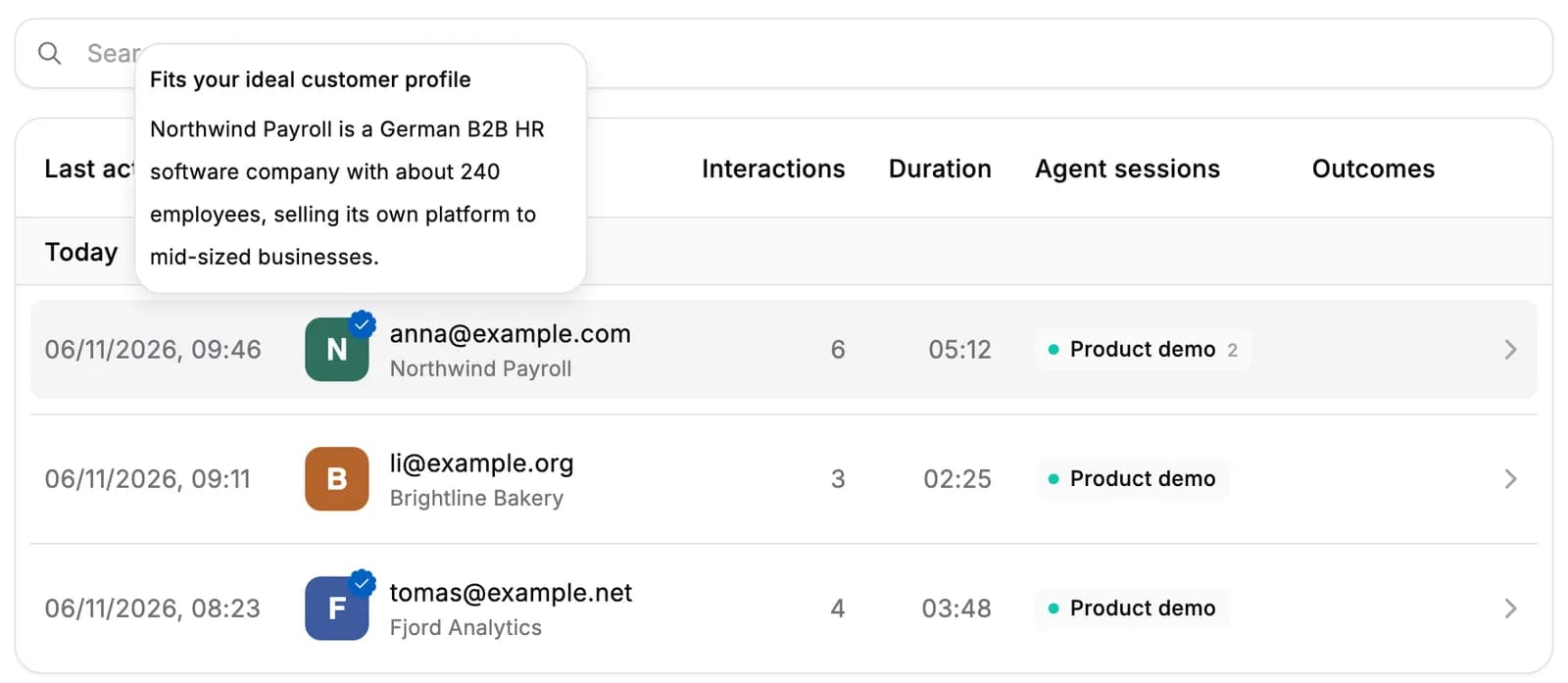
- Describe who you sell to. Write your ideal customer profile in a sentence or two on the new Customer profile tab, such as "B2B software companies in Europe with 50 to 500 employees".
- Checked whenever we learn more. We compare the visitor's company, what it does, its size and where it's based, with your description, along with what visitors from that company told your agents. We check again after a session in which a visitor answers or asks something, and when the company's details change.
- A badge on the company logo. Visitors from a company that fits get a blue badge on their company's logo in the visitors list, on their visitor page and on their sessions. Hover it to see why.
When you change your ideal customer profile, we check your existing visitors' companies again.
For AI agents: a clean Markdown version is available at /changelog/2026-11-05-icp-fit.md.