Highlights show what visitors want, not only what went wrong
· Artur Jürgenson
Session highlights now also show what each visitor wants and how they reacted, so you can follow up without reading the transcript. They appear on the session page, in Slack, CRM fields and Jira tickets, and through MCP.
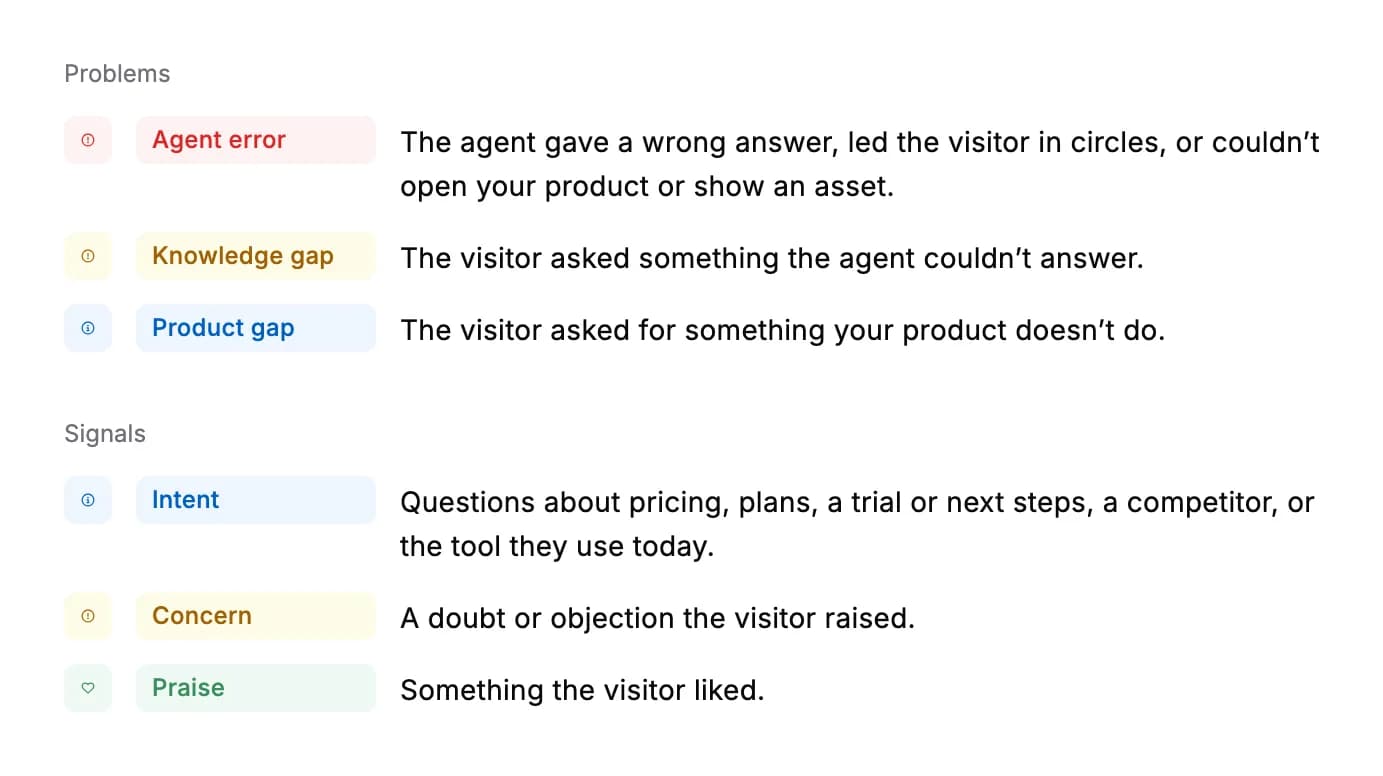
Here is every category. Product gap, Intent, Concern and Praise are new, and Agent error now also covers failing to open your product or show an asset.
- In Slack. Highlight counts are grouped by colour.
- On the visitor's message. Highlights about what the visitor said are marked on their message in the transcript and replay.
- Onboarding sessions. They don't get Concern or Intent highlights.
For AI agents: a clean Markdown version is available at /changelog/2026-11-05-highlights-show-what-visitors-want.md.