See which agents use each automation
· Artur Jürgenson
The Outcomes tab of each Demo agent and Inbound Q&A agent now lists the automations that can run for its sessions, alongside its calls to action. You can see which automations are shared with other agents and follow Manage in Automations to edit them. When an agent has no automations yet, you can create one from the tab: it starts set to run for that agent's sessions, and its conditions offer the data fields that agent collects.
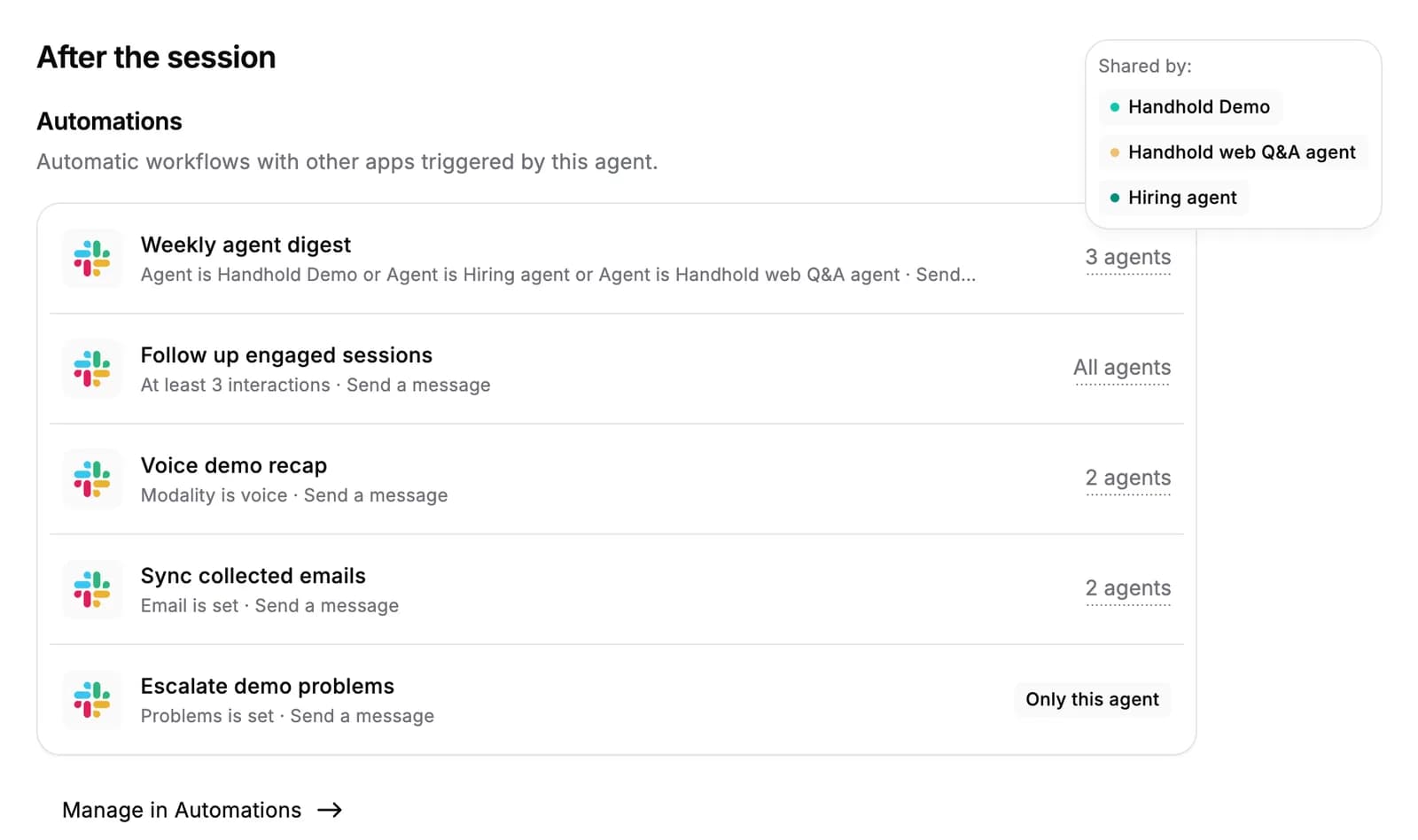
The Automations tab and connection pages also show which agents each automation applies to. An automation with no matching agents shows No agents, so you can spot conditions that no current agent can meet.
For AI agents: a clean Markdown version is available at /changelog/2026-10-13-see-which-agents-use-each-automation.md.