Combine automation run conditions
· Artur Jürgenson
Automations can now run on a combination of conditions instead of a single data field. Open an automation to choose when it runs and what it sends to the connected app.
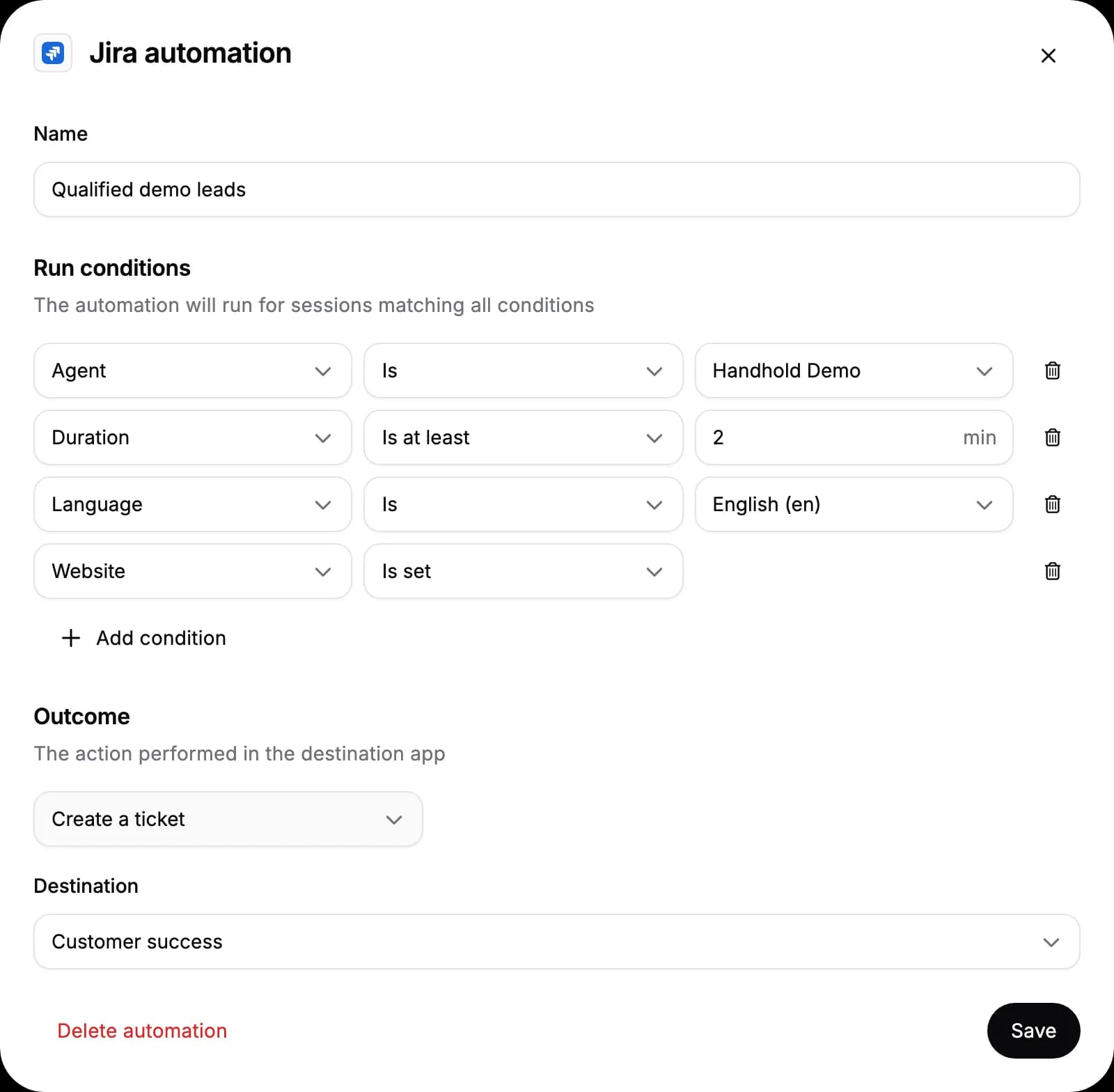
- Combine conditions. An automation runs for sessions that match all of its conditions. Add as many as you need; every automation has at least one. Sessions started from a preview don't run automations.
- Filter on more session properties. Choose an agent, language, text or voice, how the session ended, duration in minutes, interaction count, or whether the visitor sent a message, alongside your data fields. Duration and interaction ranges include their bounds.
- Map data independently. Add or remove any field mapping without tying it to a run condition. The source picker groups session properties, data fields and UTM attribution. PostHog events no longer need a mapping.
- Recognize tickets and messages. Jira ticket titles and the first line of Slack messages use the automation's name and the collected email, or just the name when no email was collected.
For AI agents: a clean Markdown version is available at /changelog/2026-10-12-combine-automation-run-conditions.md.