Connect agents to your session data
· Uku Tammet
You can now connect your agent to Handhold through MCP instead of downloading CSV exports. Ask it to review recent sessions, read transcripts, or compare engagement across your Handhold agents.
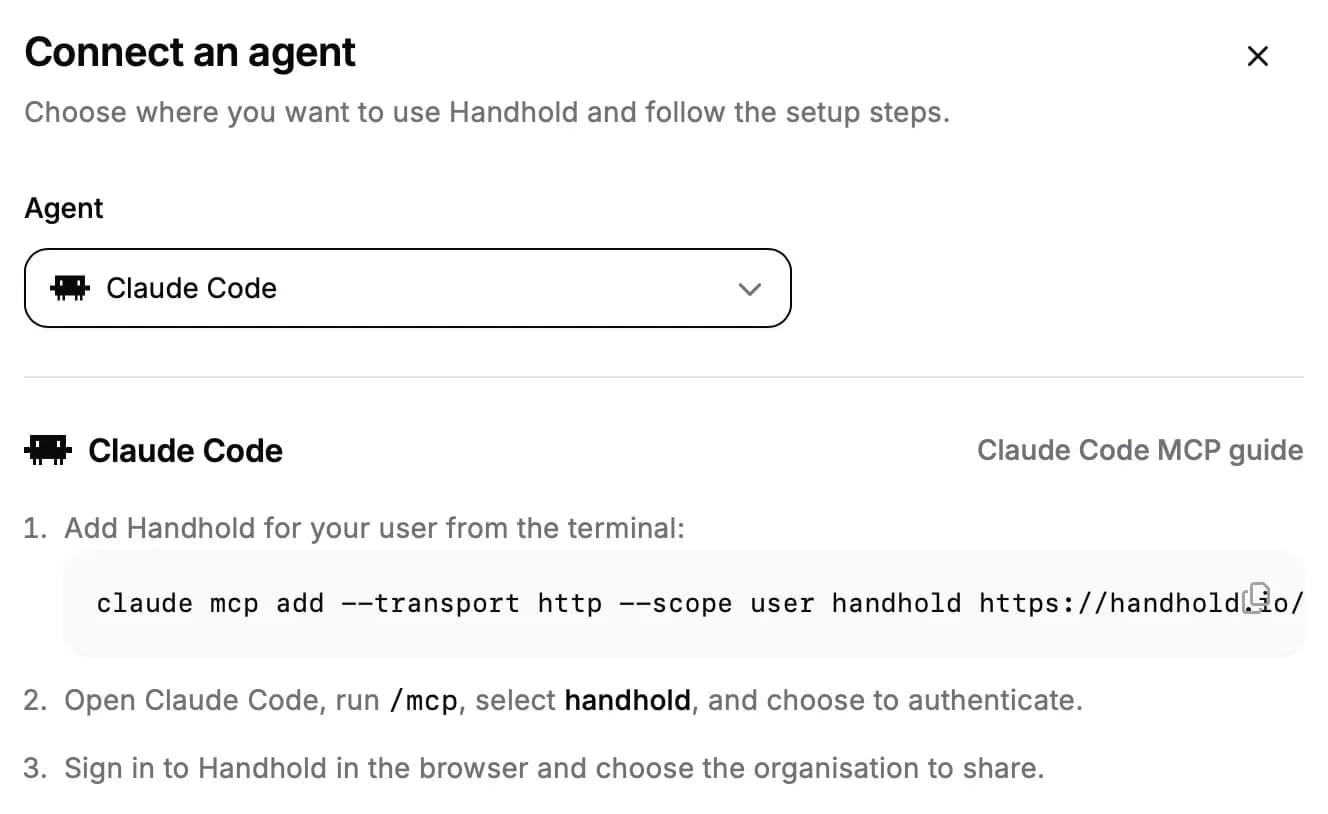
- Choose what to share. Sign in through your browser, choose an organisation, and approve read-only access. There are no API keys to create or copy. Manage your independent connections and disconnect them at any time under Account settings.
- Explore your session data. Your agent can read session statistics and details, transcripts, collected visitor fields, and linked CRM contacts. Information it retrieves is shared with that agent.
- Set up Claude and Cursor faster. Open a prefilled Claude connector or install Handhold in Cursor directly from Account settings, then approve access. Manual setup instructions remain available.
Connect an agent under Account settings, where you can find setup steps for Claude, Claude Code, ChatGPT, Codex, Cursor, OpenCode, Pi, and other compatible MCP clients.
For AI agents: a clean Markdown version is available at /changelog/2026-09-06-connect-agents-to-your-session-data.md.