Connections and automations, redesigned
· Marius Virbičianskas
We rebuilt the Data & connections area so it is clear what each app does, what happens after you connect it, and when your automations actually run.
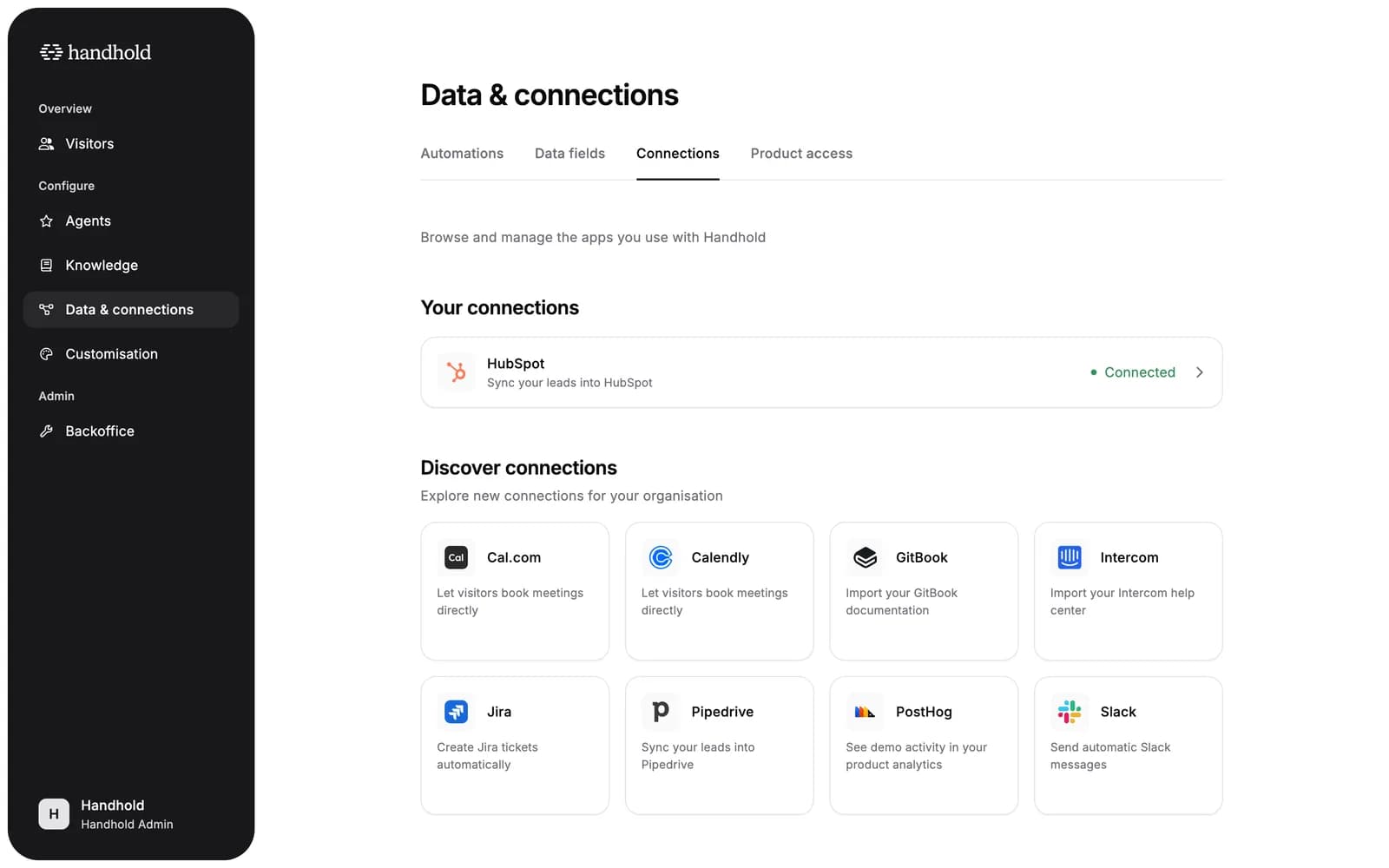
- See what's connected at a glance. The Connections tab now separates your connected apps from the ones you can still add. Connected apps show their status and open their own page. The rest sit in a Discover grid with a one-line description each.
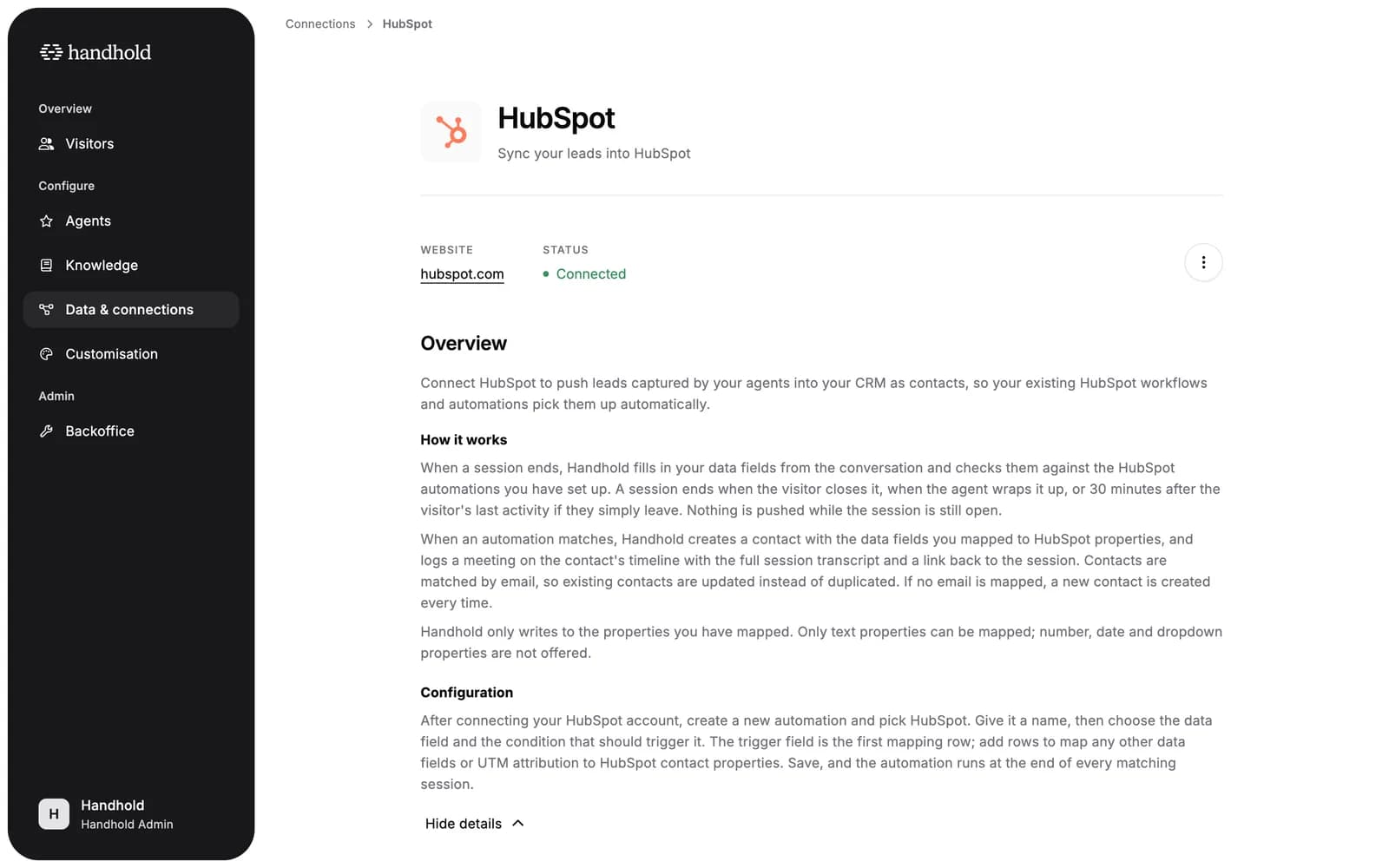
- Every connection has a page. Each app now explains itself: an overview, how it works (what triggers it, what it writes, and when), and how to configure it. Below that you see the automations or agents that use the connection, plus who connected it and when.
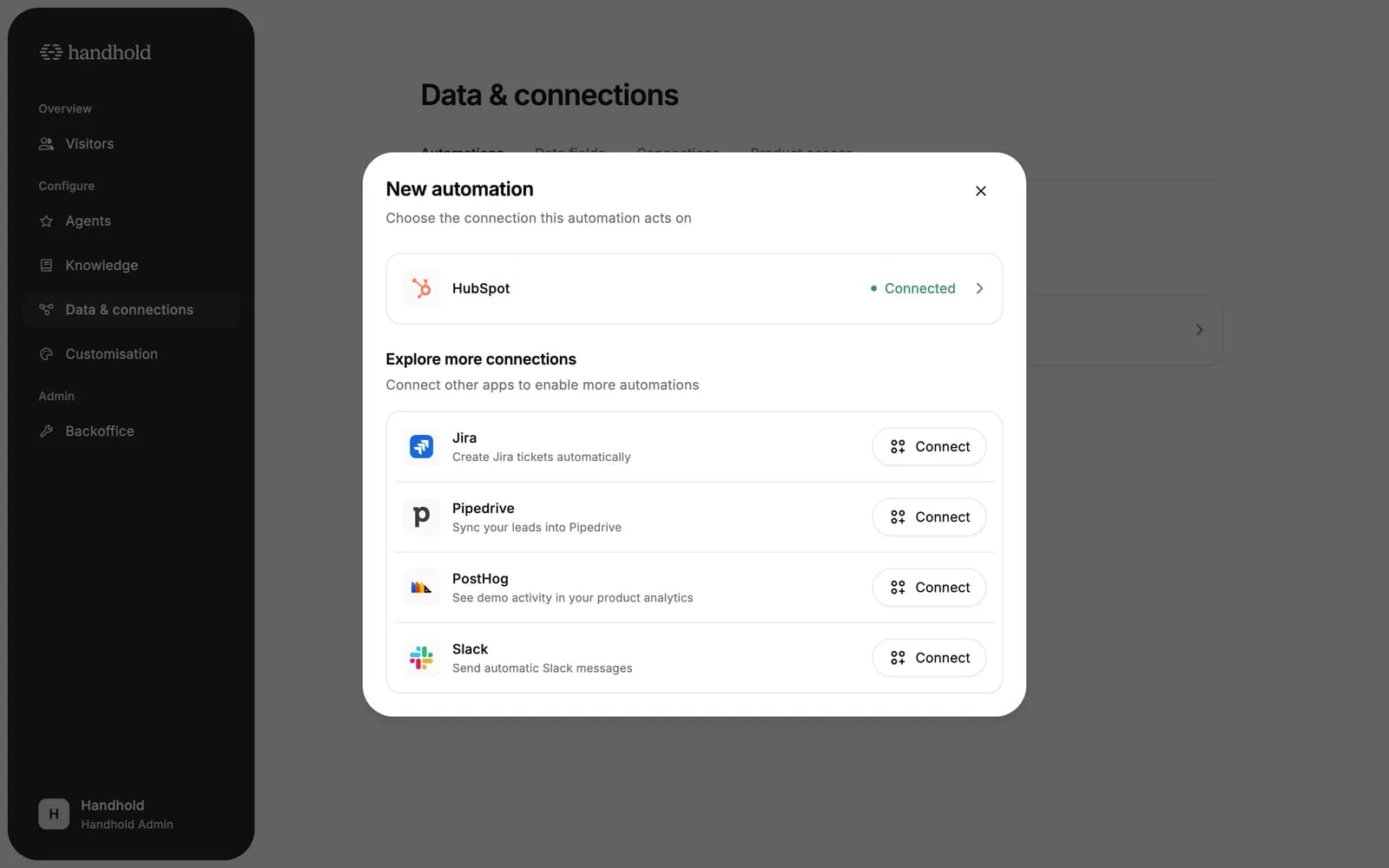
- Connect and keep going. When you start a new automation, the dialog lists your connected apps and offers the others right there. Pick one to connect, authorise it, and you land straight back in the automation setup for that app. No detour through the Connections tab. Connecting from an app's page opens the automation setup immediately too.
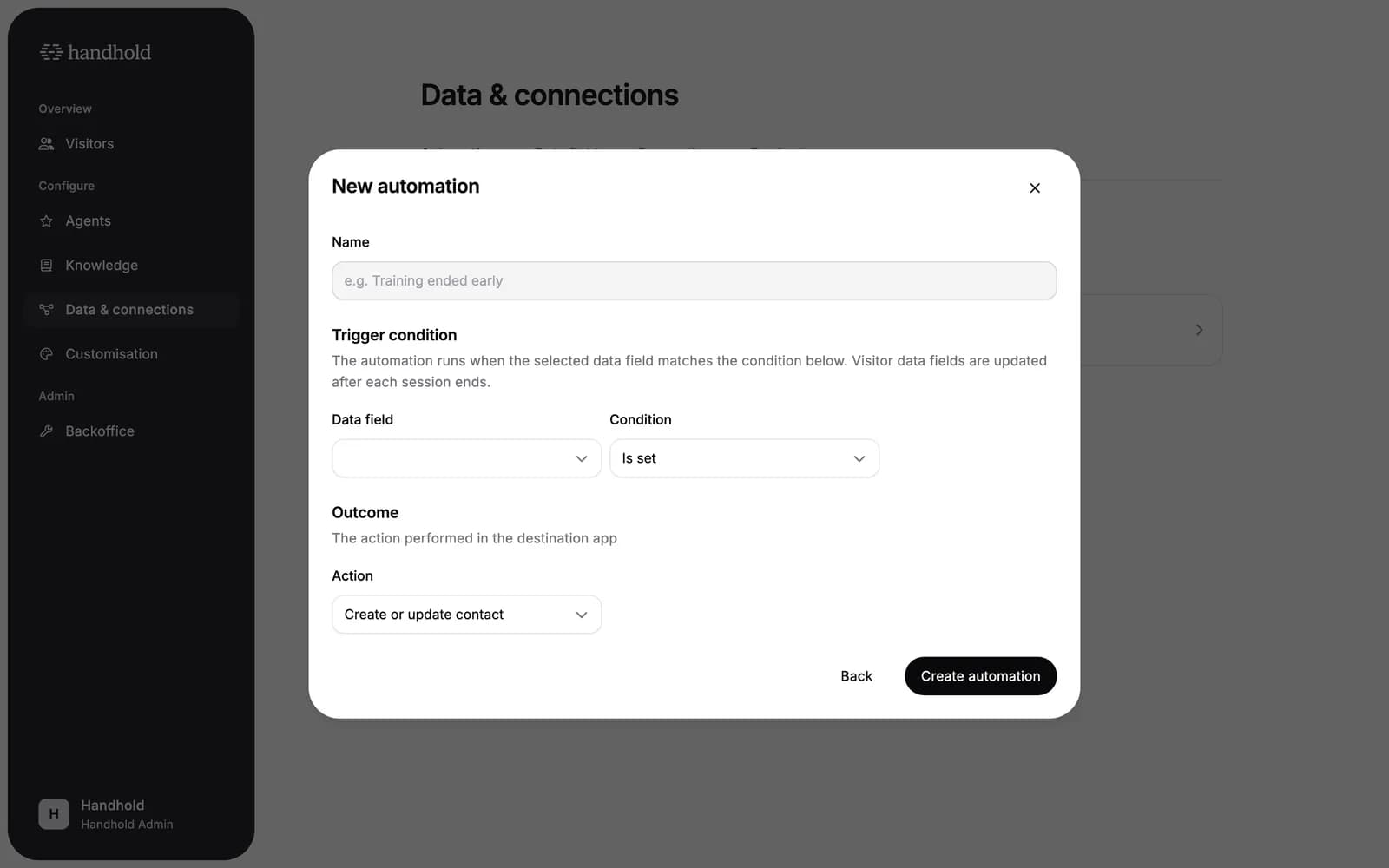
- Clearer automation setup. The form is grouped into the trigger condition, the outcome, and the field mapping, with a note on when the automation fires: after a session ends, with data fields updated at that point. HubSpot and Pipedrive actions now read "Create or update contact", because that is what they do when a contact with the same email already exists.
For AI agents: a clean Markdown version is available at /changelog/2026-09-04-connections-and-automations-redesigned.md.