Localisation overhaul
· Uku Tammet
Agents can now run in more than one language, using content you write yourself instead of machine-translated English.
We first added languages to individual features: the agent's replies, then the chat interface, then vocabulary. Over time it became clear that a language touches nearly everything in an agent, so we have made it a proper setting instead. Every part of an agent's configuration can now have its own version per language, and English is used wherever no translation exists.
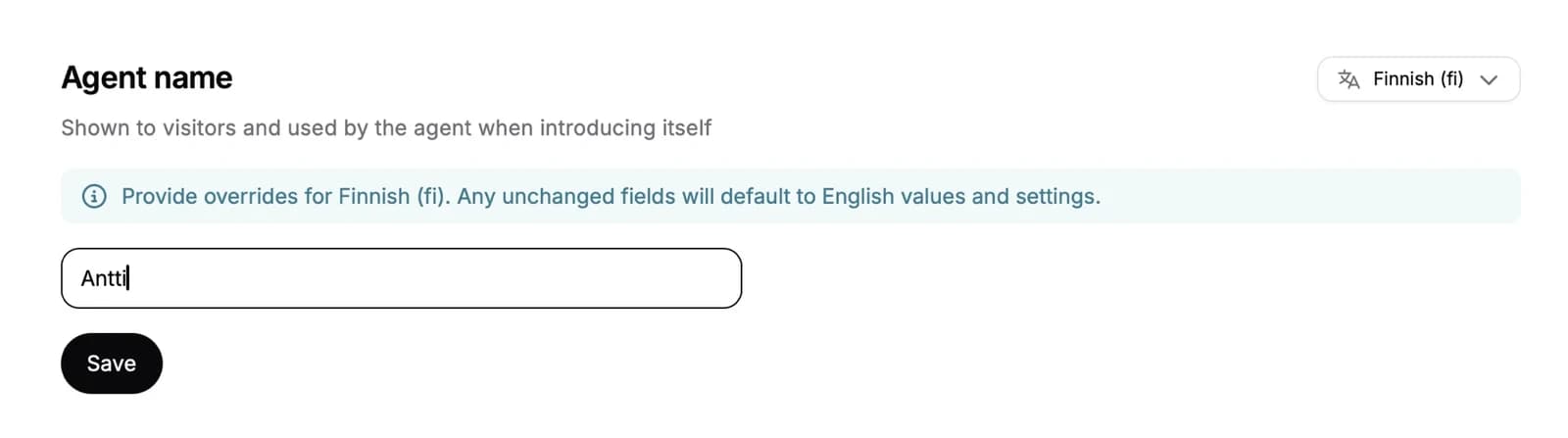
How it works:
- Enable the languages your organisation works in under Organisation settings. Each agent then chooses which of them to offer.
- For each language, you can translate the agent's name, initial suggestions, workflows, actions, data fields, vocabulary, pronunciations and assets, including their files. Demo agents can also have a different voice, product access method and preview asset per language.
- Anything you leave untranslated falls back to the English value, so you can start small and add translations over time.
- Switching a language off for the organisation hides its content everywhere but keeps it. Switch it back on and the translations return.
- Visitors of demo agents can pick a language on the start screen before the demo begins.
- If your embed does not pass a
locale, the visitor's browser language is used. An explicitlocalestill takes precedence, and a language the agent does not offer falls back to English.
See supported languages for the full list and for setting the locale through the SDK.
For AI agents: a clean Markdown version is available at /changelog/2026-09-03-localisation.md.